Live for Fall 2026

Your whole semester.One calm desktop.

Know what is due, what changed and what comes next. WIRMMO brings Canvas, Outlook, course files and your calendar into a familiar Mac-style desktop, with cited AI answers when you need more detail.

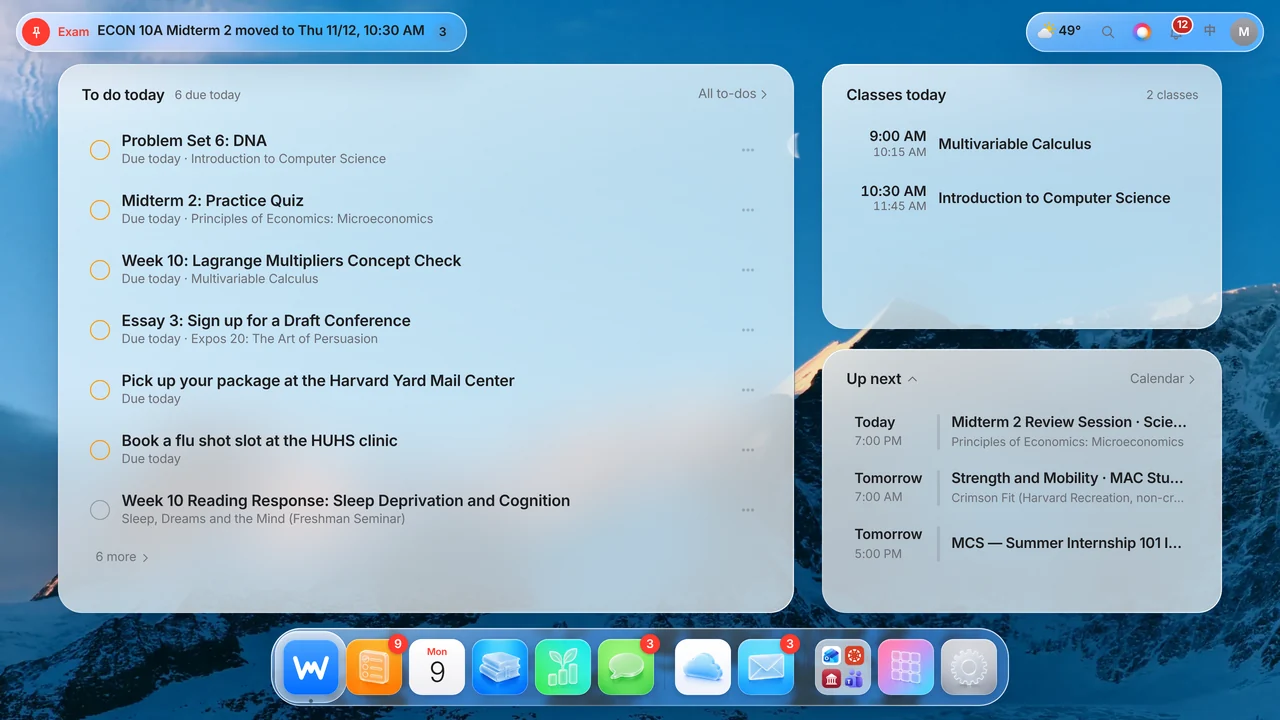
WIRMMO desktop with dock and pinned exam alert WIRMMO Home with today's to-dos, classes and what's next
!ECON 10A Midterm 2 movedNow Thu 11/12 · 10:30 AM · Prof. Reyes email
6Due todaySorted by what to do first
✓Synced with Canvas2 minutes ago

Everything you already use, finally in one place

Canvas Outlook Teams Pearson MyLab Handshake Campus portal School email Syllabi & course files Apple Health & iPhone Calendar

Seven tabs. Four logins. A syllabus nobody re-reads. An exam that moved in an email you missed. WIRMMO turns all of it into one screen you understand in five seconds.

The apps

Every app a student needs. Nothing they don't.

  • Home

    See today's to-dos, classes and Up next in one place, with pinned alerts when a professor changes an exam date.

  • To-dos

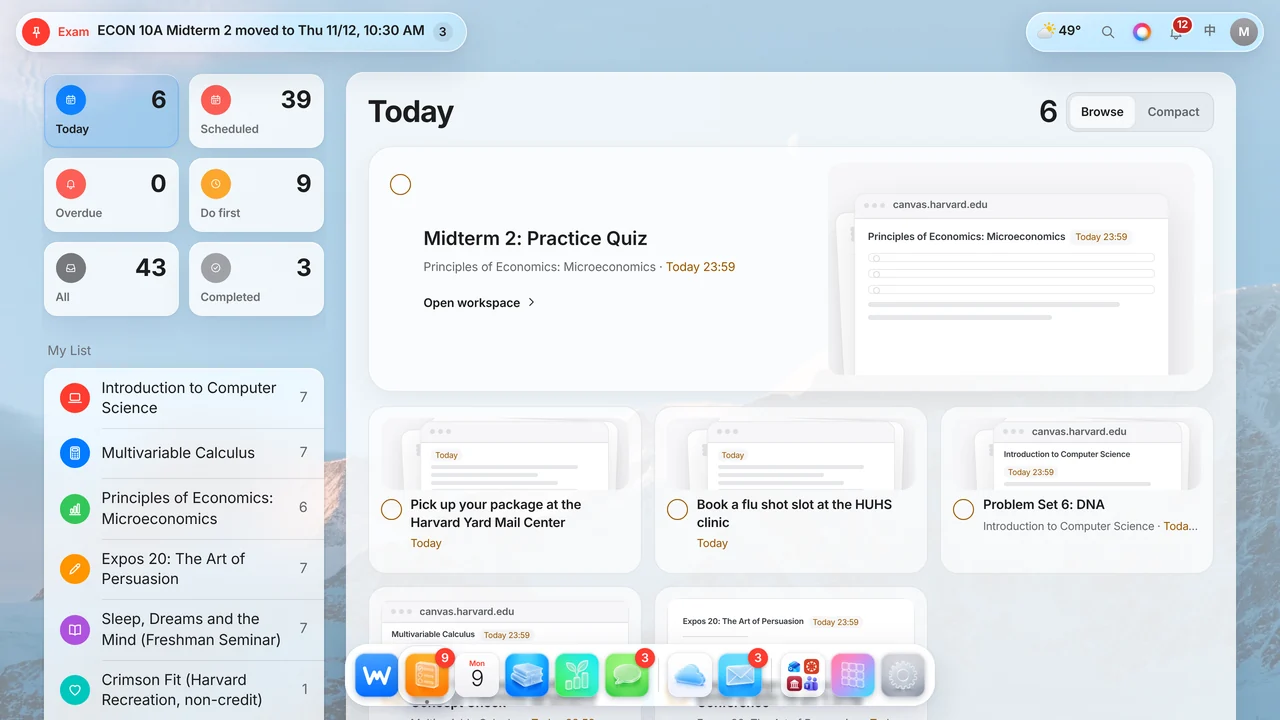
    Assignments from Canvas, syllabi and email, sorted into Today, Overdue and Do first, with a preview of where you submit.

  • MON9

    Calendar

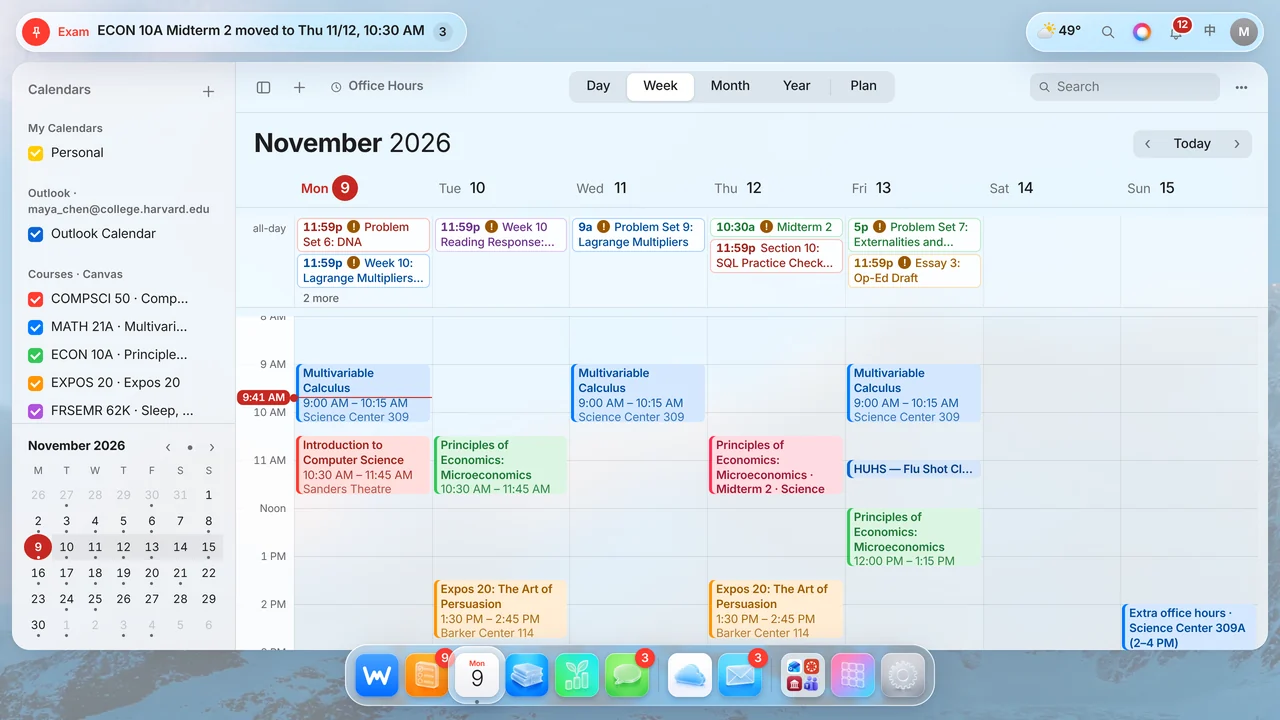
    See classes, deadlines, exams and office hours beside your Outlook calendar, in day, week, month or year views.

  • Courses

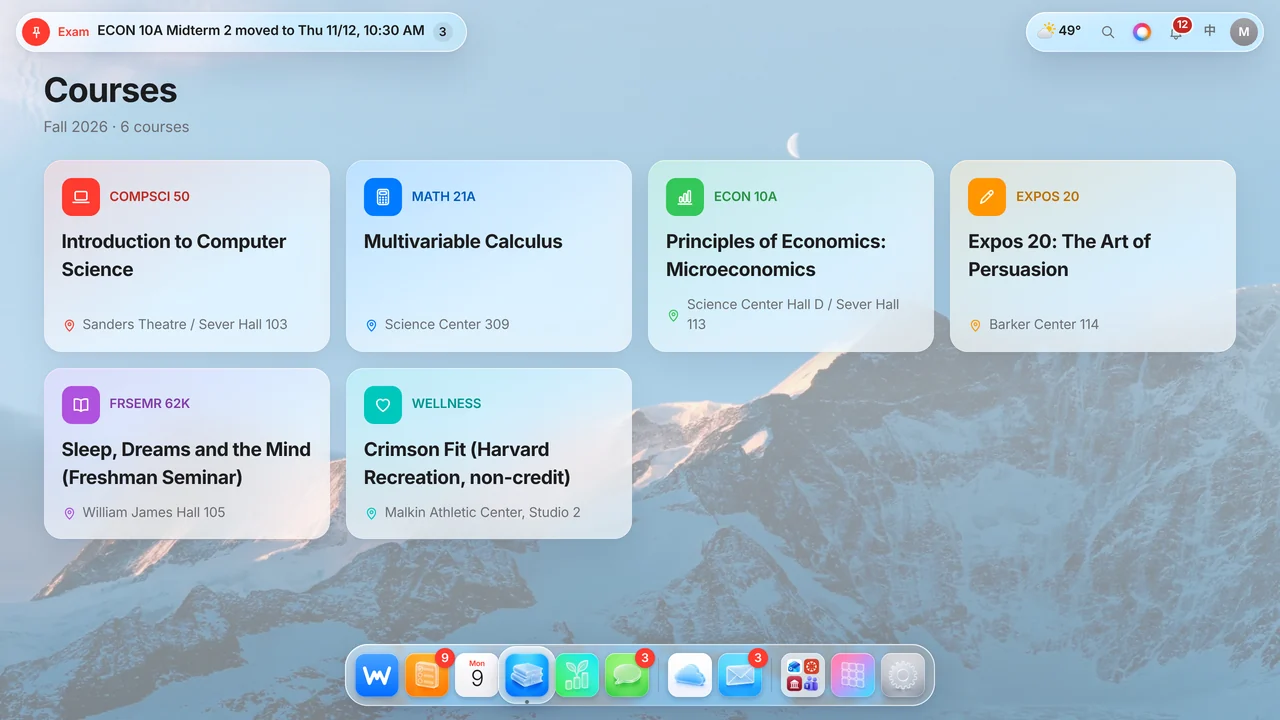
    All six courses, with instructors, rooms, meeting times, office hours, assignments and syllabus details in one place.

  • Messages

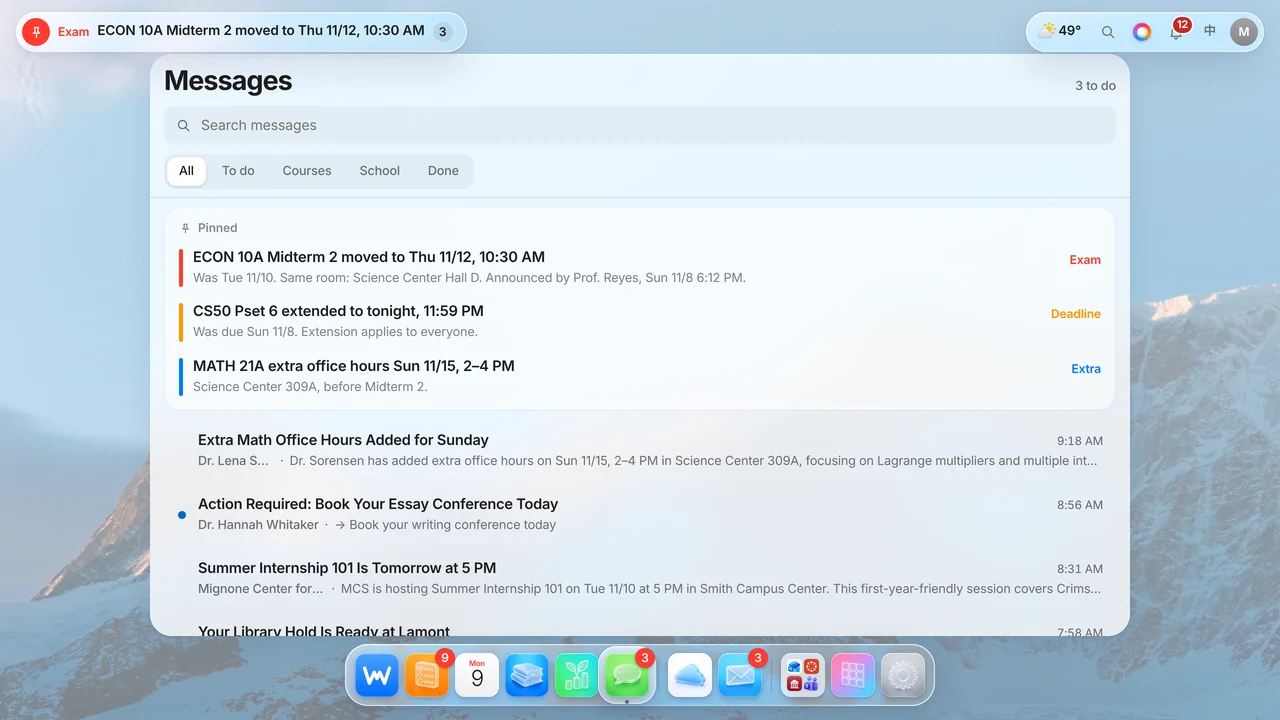
    Professor and classmate emails and Canvas messages, sorted into To do, Courses and School. Important date changes stay pinned.

  • Growth

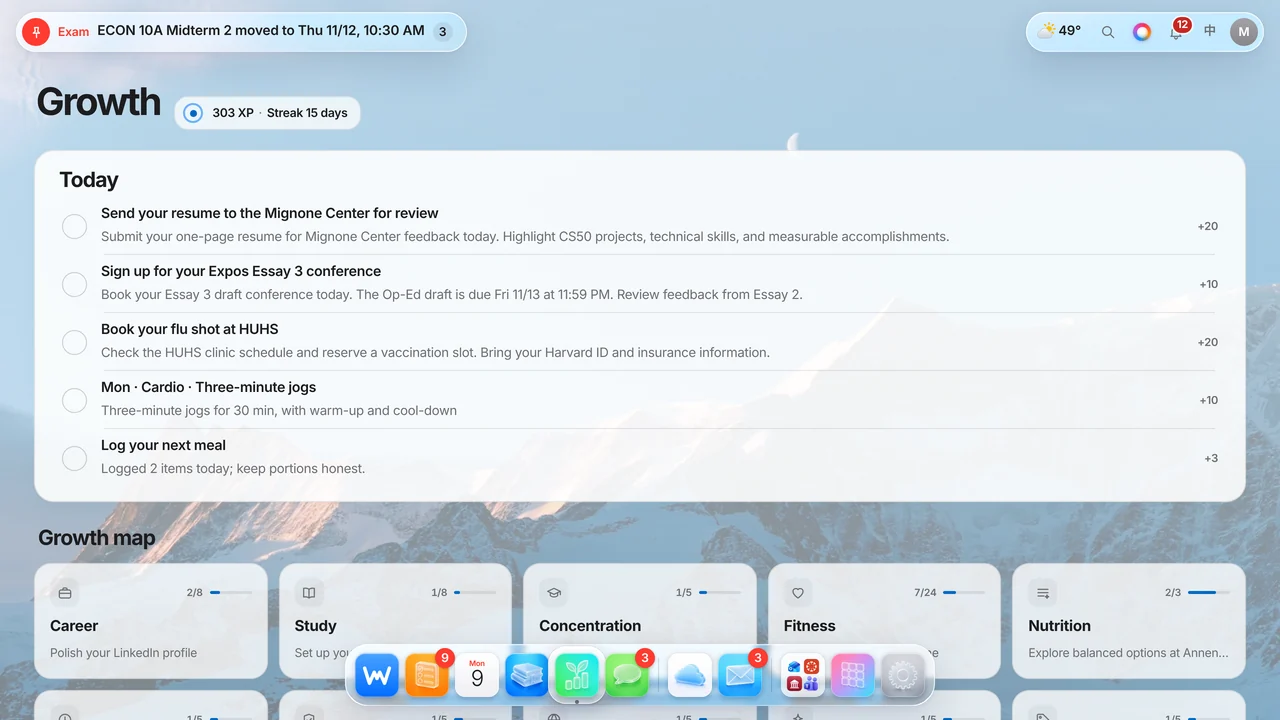
    Turn career, study and fitness goals into a daily plan, with XP, streaks and a weekly training plan.

  • Drive

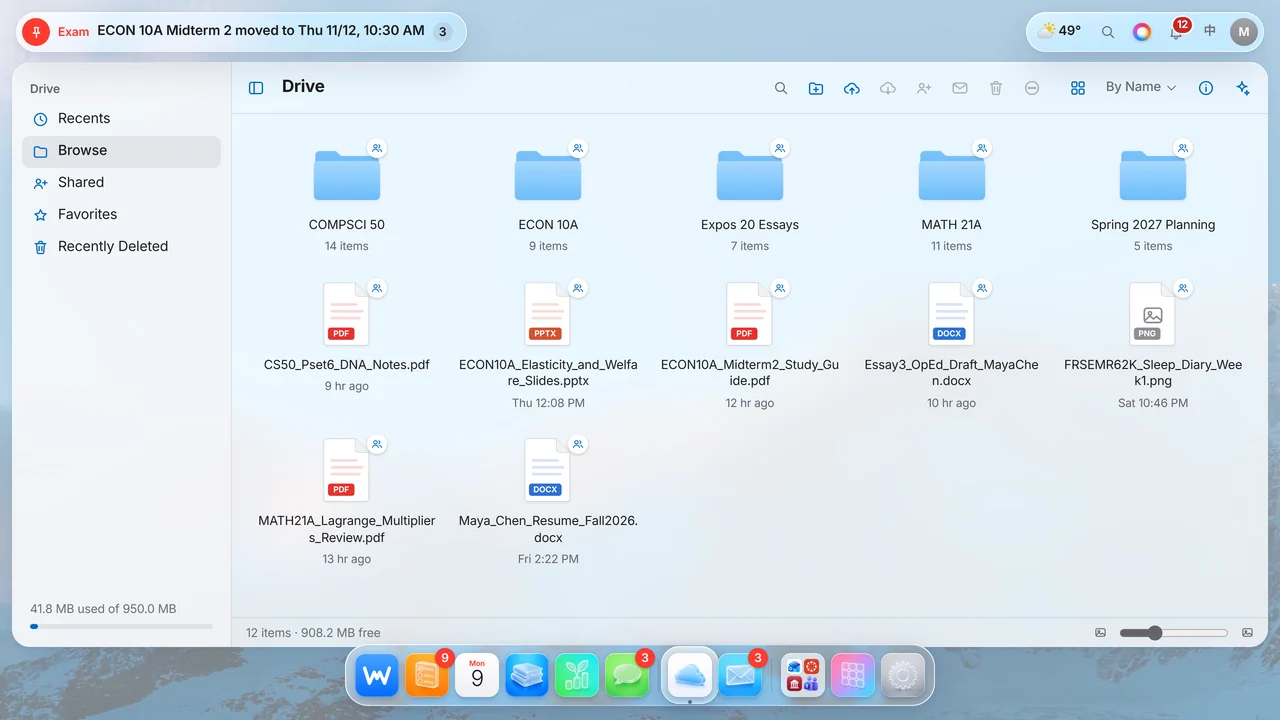
    Find each syllabus and handout in course folders. Preview, search or ask AI to summarize a file.

Home
Home
To-dos
To-dos
Calendar
Calendar
Courses
Courses
Messages
Messages
Growth
Growth
Drive
Drive
Try it

Click around. It feels like a Mac.

A real dock with magnification, windows that open from their icon, and the same glass you know from macOS. Hover the dock below and open any app.

Home app
↑ Live WIRMMO preview with fictional sample data
Every app

And everything else, built in.

Thirteen more apps live behind the dock. Pick one to see it.

Exam prep

See upcoming exams, what is due before them, relevant messages, syllabus rules and available office hours in one place.

WIRMMO Intelligence

Ask your semester anything.

Press ⌘K for a quick answer, or double-tap ⌘ to ask out loud. Search your deadlines, files and school mail. Every AI answer links back to its sources.

✦ Ask AI
✦ AI answer · thinking…
Instant

Answers from your data

Simple questions are answered straight from your to-dos and calendar. No AI, no wait.

<0.1s
Ask AI

Fast, cited answers

Ask AI reads your courses and deadlines, then points to the exact to-do, syllabus or message behind each answer.

~2s
Deep search

Reads mail and Drive

Check a question against full mail threads and Drive files. Deep search takes about 10–30 seconds and cites what it finds.

10–30s
Voice

Double-tap ⌘

Ask out loud, like Siri, but it knows your syllabus.

Hands-free
How it works

From scattered sources to one clear answer.

Step 1 · Collect

Connect once

Canvas, Outlook calendar, school email, syllabi and course files.

Step 2 · Sync

Canvas every 5 min, calendar every 15

Runs on Cloudflare's edge. School mail updates when it's checked.

Step 3 · Understand

AI reads the fine print

Pulls deadlines out of syllabi and emails, merges duplicates and flags conflicts.

Step 4 · Show

One calm desktop

Ranked by urgency, with alerts that stay quiet in class and at night.

Details

Small things that add up to never missing a deadline.

Notifications with manners

Quiet overnight and silent during class. A deadline under two hours away or a Canvas check-in still gets through.

Problem Set 6 due in 1h 40mCOMPSCI 50 · delivered now

New announcement in EXPOS 20Held until class ends · 10:15 AM

Catches conflicting deadlines

When a syllabus and Canvas disagree, WIRMMO notices and keeps you on the earlier time.

Canvas11:59 PM
Syllabus5:00 PM
WIRMMO reminds you at5:00 PM

Canvas, every 5 minutes

Canvas is checked every 5 minutes; new assignments are picked up on the next check.

0

minutes between Canvas checks, around the clock

Growth, gamified

Daily goals for study, career and fitness with XP and streaks.

+43 XP
today's plan

Bilingual by design

Every screen in English and 中文. Switch in one tap.

English中文

Your files, sorted by course

A built-in Drive with folders for every class, sharing and an AI that can read what's inside.

WIRMMO Drive

Install it on iPhone

Add WIRMMO to your Home Screen and it opens like a native app, with push alerts.

AI that grows out of the Dynamic Island

On iPhone, tap the island and the assistant opens right there, with a soft glow that shows when it is listening or thinking.

What is due before my ECON midterm?Practice quiz today, review tonight at 7 PM · cited

Pinned the moment a professor changes something

Exam moved, extra credit announced, class cancelled: one pill at the top of the screen, with the new time first and a link to the source.

Midterm 2Tue 11/10
NowThu 11/12 · 10:30 AM

Starter kits

Open an assignment and the AI has already split it into a checklist. You tick, it helps.

3 steps

to get started, prepared before you open it

Works inside ChatGPT

Connect once, then ask @WIRMMO in ChatGPT about your deadlines, mail and files, and add to-dos from there.

@WIRMMO

Mail with clear next steps

See a one-line AI brief for each email, plus a Replies panel with editable drafts and a link back to Outlook.

Reply · Dr. WhitakerNeeds your answer
Read · ECON 10A exam movedNo action
By the numbers

Built and shipped by one student, used every day this semester.

0courses in one view
0course files organized
0releases shipped
0requests served on a typical day
Privacy

Private by default.

  • Invite-only accounts. Every new account is approved by hand.
  • Every sign-in is logged. New devices trigger an alert to the owner.
  • School Outlook stays read-only. Personal @wirmmo.com mail can send, but school replies open in Outlook.
For teachers & reviewers
·····

Have a 5-digit reviewer code? Explore the full, live site in read-only mode. Personal details are blurred.

Open the demo →

Your semester,
handled.